Title here
Summary here


A Supplier Payment Receipt is created when you make a payment to a supplier for one or more outstanding invoices.
It records the payment details, including the amount, payment method, and date, and allocates the payment to the relevant supplier invoices.
This helps keep your accounts payable accurate and provides a clear record of payments made to suppliers.
Please Note?
A receipt can not be edited or deleted.
To make a correction, either:
Create a debit note if there was an overpayment
Or another receipt if there was under payment.
There are two methods that can be used to create a receipt:
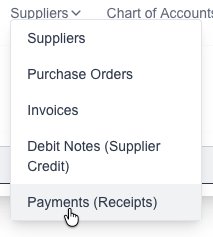
Goto the Invoices page which is under the “Customers” menu:
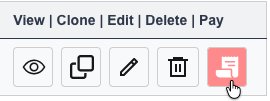
Find the desired Invoice and click on the “Pay” button next to it, this will open up the receipt page:
The details will be auto filled in, but you can change as needed.
Add a new payment and fill in the payment details by clicking on the “Add Payment” button
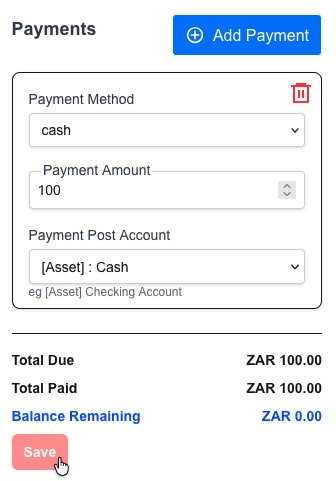
Click on the “Save” button to save the new Receipt. A PDF file will be generated and presented to you.
Goto the Supplier payments (Receipts) page which is under the “Suppliers” menu:
Click on the “New Receipt” button:

Goto the Supplier payments (Receipts) page which is under the “Suppliers” menu:
You will see a list of all your created receipts:
Click on the view button: