Title here
Summary here


The Owners section is where you add and manage the owners of the company or personal account.
For each owner, an Equity Capital and Drawings account is automatically created or you can specify the account if they already exist.
This account is used to record the owner’s personal drawings and share allocations.
You can also specify each owner’s ownership percentage.
When you Close Books at the end of the financial year, the profit is automatically distributed between the owners according to their ownership percentages.
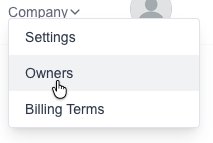
Goto the Owners page which is under the “Company” menu:
Click on the “New Owner” button:

Fill in the desired details.
Click on the “Save” button to save the new COA.
Goto the Owners page which is under the “Company” menu:
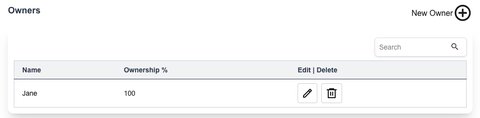
You will see a list of all your current Owners.

Click on the “Save” button to save the Owner.