Title here
Summary here


It can be important to have a system for referencing your documents that is both logical and consistent. This helps with organization, tracking, and avoiding confusion. Here’s how you can set up document reference prefixes:
Reference Prefix: This is the abbreviated or coded starting part of your document reference number that indicates the type of document it is. For instance, “Q2025” could be the prefix for all your “Customer Quotations.” It tells you at a glance what kind of document it relates to (in this case, a quote) and the year or period it pertains to (here, 2025).
Incremental Numbering: After the prefix, you’ll have a number that increments each time a new document is created. This ensures that every document has a unique reference number. For example:
Here’s why this is useful:
In essence, by establishing a clear prefix and incremental numbering system for your documents, you create an efficient way to manage your records, making it easier to reference past communications and maintain a high level of organization within your business operations.
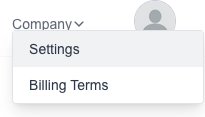
Goto the Settings page which is under the “Company” menu:
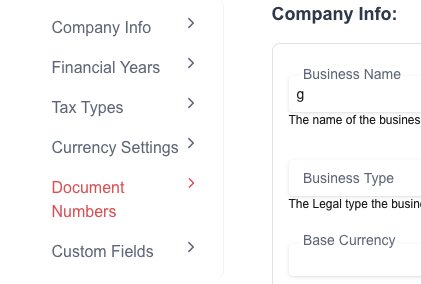
Click on the “Currency Setting” menu on the left.
Fill in the desired prefixes.
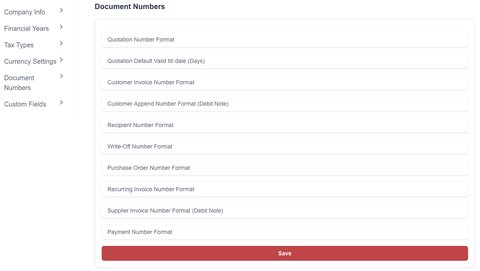
Click on the “Save” button to save your selection